Your business is growing, invoices are piling up, and keeping track of expenses is taking more time than it should. You’ve decided to get proper accounting software, but now you’re stuck between QuickBooks and Xero.
Both look promising. Both handle invoicing, bank transactions, and financial reports. And both claim to make bookkeeping easier.
So why do their pricing plans look so different? What happens when you add Canadian payroll? Will either one make GST/HST reporting easier? And which platform will cost less once your business needs more than basic bookkeeping?
These are the questions worth answering before paying for another subscription.
When comparing QuickBooks vs Xero Canada, the best choice depends on more than the monthly price. You need to consider how your business operates, who manages your books, whether you have employees, and which features you’ll actually use.
At TaxRecon, we work with Canadian businesses that use QuickBooks Online, Xero, and connected accounting tools. The goal isn’t simply to choose software with the longest feature list. It’s to build an accounting process that produces reliable numbers without creating more work.
Here’s how QuickBooks and Xero compare in 2026, including payroll, GST/HST, pricing, reporting, and the real cost of running each system.
Key Takeaways
- QuickBooks offers Canadian payroll as a paid add-on to its accounting software.
- Xero supports Canadian payroll through connected providers such as Wagepoint.
- Both platforms support GST/HST tracking, invoicing, bank reconciliation, and financial reporting.
- Xero offers unlimited accounting users across its Canadian plans, while QuickBooks has plan-based user limits.
- The cheaper subscription isn’t always the cheaper overall accounting system.
QuickBooks vs Xero Canada: Which Is Better in 2026?
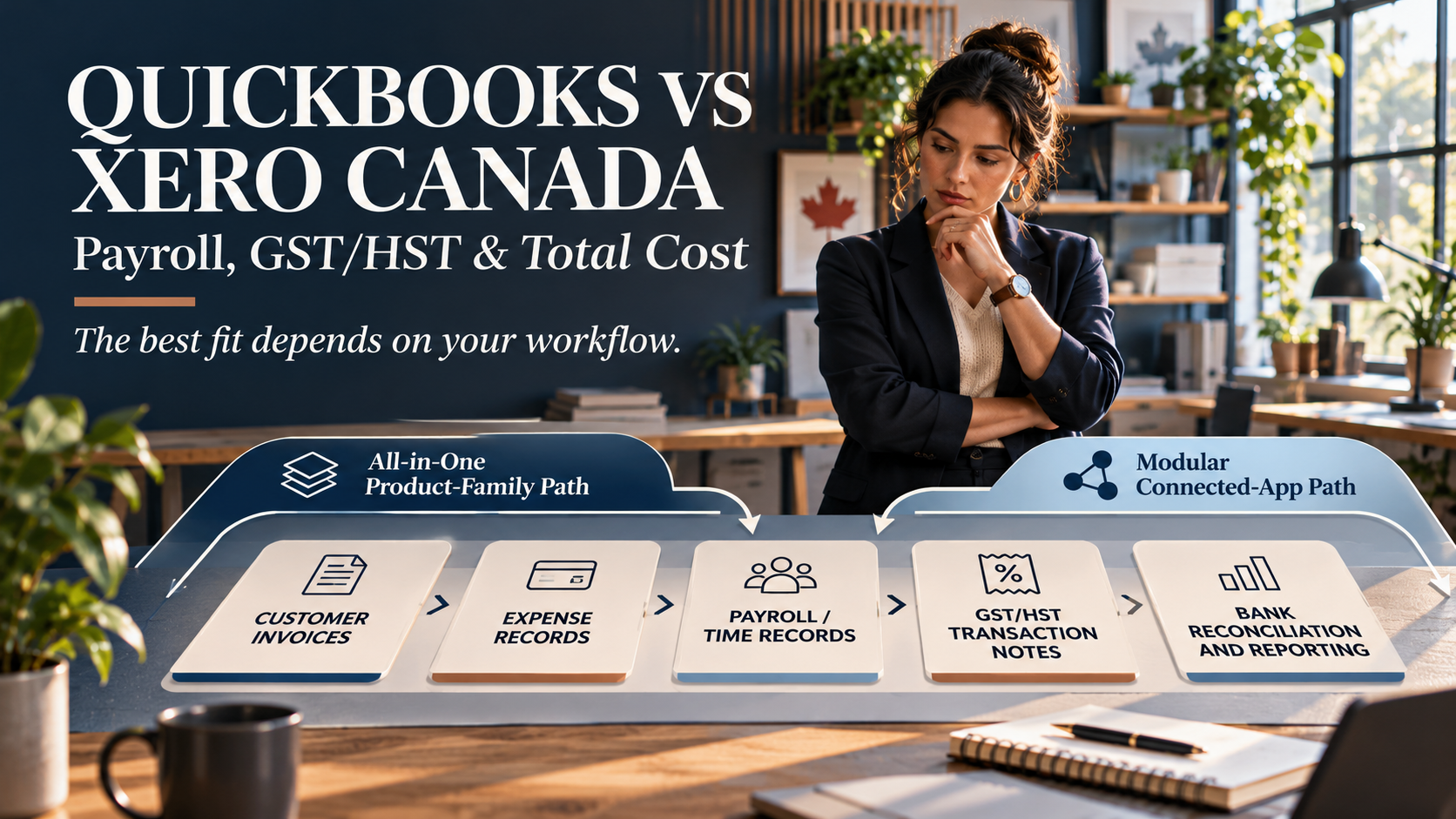
QuickBooks is often a practical choice for Canadian businesses that want accounting and payroll managed within one connected product family. Xero can be attractive to businesses that value unlimited users, bank reconciliation, and flexibility with third-party applications. Both support Canadian GST/HST accounting, but pricing, payroll setup, and advanced features differ.
Neither platform is automatically better for every business.
A freelancer with a few monthly invoices has different needs from a construction company managing projects, employees, and subcontractors.
Similarly, a business with an experienced bookkeeper may value different features than an owner who handles everything personally.
QuickBooks vs Xero at a Glance
| Feature | QuickBooks Online Canada | Xero Canada |
| Starting regular accounting price | $30/month, EasyStart | $25/month, Starter |
| Cloud-based bookkeeping | Yes | Yes |
| Invoicing | Yes | Yes |
| Bank reconciliation | Yes | Yes |
| GST/HST tracking | Yes | Yes |
| Canadian payroll | Paid QuickBooks Payroll add-on | Third-party payroll integration |
| Payroll tax calculations | Through QuickBooks Payroll | Through connected payroll provider |
| Multiple accounting users | Depends on subscription | Unlimited users |
| Accountant access | Available on standard QuickBooks Online plans | Available |
| Receipt capture | Available | Hubdoc included |
| Project tracking | Available on qualifying plans | Optional app or project tools |
| Inventory | Built-in features on qualifying plans | Basic inventory and integrations |
| Multicurrency | Available on qualifying plans | Premium plan |
| Mobile access | Yes | Yes |
| App integrations | Yes | Yes |
| Reporting | Standard and advanced reporting by plan | Reporting and analytics by plan |
The right comparison depends on which plans provide the features your business needs.
A basic plan from one provider may not be equivalent to a basic plan from the other.
How Much Do QuickBooks and Xero Cost in Canada?
QuickBooks and Xero both use subscription pricing, but their plans include different features, limits, and optional services.
The prices below are regular Canadian monthly rates checked in November 2026. They exclude applicable sales taxes, promotional discounts, and optional add-ons.
QuickBooks Online Canada Pricing
QuickBooks offers several accounting plans for different business sizes.
| QuickBooks plan | Regular monthly price | Annual cost | Best suited to |
| EasyStart | $30 | $360 | Freelancers and solo business owners |
| Essentials | $70 | $840 | Small businesses managing bills and multiple users |
| Plus | $110 | $1,320 | Businesses needing inventory or project profitability |
| Advanced | $220 | $2,640 | Larger teams needing advanced controls and reporting |
QuickBooks also advertises a lower-priced Lite option for certain solo-business needs, but that product has fewer features and doesn’t offer the same accountant access or payroll options as the main QuickBooks Online plans.
For the latest features and promotional offers, check the official QuickBooks Canada pricing and plan comparison.
What Do the Higher QuickBooks Plans Add?
EasyStart covers core accounting needs, including invoicing, expense tracking, bank connections, and basic reports.
Essentials adds features such as bill management, additional users, time entry, and multicurrency capabilities.
Plus adds inventory tracking, project profitability, budgeting, and additional reporting options.
Advanced provides more user access, permissions, custom reports, automation, and advanced business insights.
The best plan is the lowest tier that supports your actual workflow, not necessarily the plan with the most tools.
Xero Canada Pricing
Xero’s Canadian plans follow a different structure.
| Xero plan | Regular monthly price | Annual cost | Best suited to |
| Starter | $25 | $300 | Sole proprietors with limited invoicing needs |
| Standard | $60 | $720 | Growing service businesses |
| Premium | $80 | $960 | Established businesses needing multicurrency and deeper analytics |
Xero includes unlimited accounting users across these plans.
However, the Starter plan has important restrictions. It allows up to 20 invoices and five bills under the current Canadian plan terms.
Businesses that regularly exceed those limits may need Standard.
Xero’s Premium plan adds multicurrency capabilities and more advanced financial analysis.
You can review the latest plan details on the official Xero Canada pricing page.
Which Accounting Software Is Cheaper?
Looking only at the regular subscription prices:
- Xero Starter costs less than QuickBooks EasyStart.
- Xero Standard costs less than QuickBooks Essentials.
- Xero Premium costs less than QuickBooks Plus.
But those aren’t exact feature-for-feature comparisons.
QuickBooks Plus includes inventory and project profitability tools that may require different functionality or additional applications in Xero.
Likewise, Xero’s unlimited user access can be valuable for businesses with several people entering invoices, approving bills, or reviewing reports.
The total cost becomes clearer when payroll and other required tools are included.
QuickBooks vs Xero Payroll Canada: What’s the Difference?
Payroll is one of the biggest differences between the two platforms for Canadian employers.
QuickBooks offers Canadian payroll through its own paid payroll product.
Xero connects with third-party Canadian payroll systems, including Wagepoint.
Both approaches can work. The distinction is how payroll gets processed, how much it costs, and how the resulting transactions enter your accounting records.
QuickBooks Payroll in Canada
QuickBooks Payroll can be added to qualifying QuickBooks Online accounting subscriptions.
Its Canadian payroll options include Core, Premium, and Elite.
Regular published pricing includes:
| Payroll plan | Monthly base fee | Additional monthly fee |
| Core | $30 | $5 per employee |
| Premium | $55 | $8 per employee |
| Elite | $80 | $15 per employee |
QuickBooks Payroll includes tools for managing pay runs, calculating deductions, processing direct deposits, and preparing payroll-related forms.
Available features vary by plan.
Higher tiers add capabilities such as expanded time tracking, scheduling, and additional workforce tools.
Why the Integration Matters
Consider a business that uses QuickBooks for accounting and QuickBooks Payroll to pay employees.
Payroll-related expenses and liabilities can flow into the accounting system without requiring the owner to maintain a separate payroll application.
That may reduce manual reconciliation work.
However, integration doesn’t eliminate the need to review payroll records, employee information, source deductions, and CRA remittances.
Does Xero Have Built-In Canadian Payroll?
Xero does not currently provide its own native Canadian payroll system equivalent to QuickBooks Payroll.
Instead, Canadian businesses can connect specialized payroll providers.
One established example is Wagepoint.
In July 2026, Xero and Wagepoint announced an enhanced integration that connects payroll and accounting more closely.
The integration supports the transfer of payroll information, including wages, deductions, taxes, and benefits, into Xero.
This allows businesses to manage payroll in a dedicated Canadian system while keeping their accounting records connected.
What Does Wagepoint Cost With Xero?
Wagepoint’s published regular payroll prices include:
| Wagepoint plan | Monthly base fee | Additional monthly fee |
| Lite | $20 | $4 per employee or contractor |
| Core | $40 | $6 per employee or contractor |
| Plus | $80 | $10 per employee or contractor |
Lite is designed for businesses running one payroll per month.
Core supports more frequent payroll runs, while Plus includes additional workforce management features.
These are Wagepoint subscription charges, separate from Xero’s accounting subscription.
Businesses using another payroll provider should compare that provider’s actual pricing and features instead.
Which Is Better for Canadian Payroll?
QuickBooks may be a better fit when:
- You want accounting and payroll within the QuickBooks product family.
- Your business needs straightforward Canadian employee payroll.
- You prefer one connected accounting environment.
- You want payroll features that match your existing QuickBooks workflow.
Xero may be a better fit when:
- You already use a compatible payroll provider.
- You prefer a specialized Canadian payroll application.
- You want flexibility when choosing payroll tools.
- Your bookkeeper manages payroll through an integrated system.
The decision should include payroll frequency, employee count, direct deposit requirements, CPP and EI calculations, remittance handling, and year-end reporting.
If payroll records and accounting balances frequently disagree, TaxRecon’s payroll services for Canadian businesses can help review the relationship between payroll calculations, source deductions, accounting records, and reporting responsibilities.
QuickBooks vs Xero for GST/HST: Which Is Better?
Both QuickBooks and Xero support Canadian GST/HST accounting.
They can help businesses record sales taxes, categorize taxable transactions, and prepare information needed for GST/HST reporting.
But neither software automatically makes every tax code or input tax credit correct.
Your GST/HST return still depends on the accuracy of your transactions and the rules that apply to your business.
GST/HST Features in QuickBooks
QuickBooks Online provides sales tax tools that can help you:
- Apply configured GST/HST and other sales tax treatments to invoices
- Track tax collected on taxable sales
- Record GST/HST paid on qualifying purchases
- Review sales tax liability reports
- Monitor tax balances and payments
- Identify transactions contributing to reported totals
QuickBooks also offers automation intended to help identify tax-related discrepancies.
Those features are helpful, but automated calculations should still be reviewed when transactions involve unusual tax treatment.
GST/HST Features in Xero
Xero also allows Canadian businesses to configure tax rates, apply tax codes to transactions, and generate relevant tax reports.
Its accounting workflows support:
- Recording GST/HST on sales and purchases
- Reviewing sales tax accounts
- Categorizing business transactions
- Reconciling bank activity
- Preparing GST/HST figures from accounting records
- Working with an accountant or bookkeeper before filing
Both platforms can provide useful filing information.
The difference is often how easily the business maintains accurate records and reviews tax-coded transactions throughout the reporting period.
What Neither Platform Can Decide for You
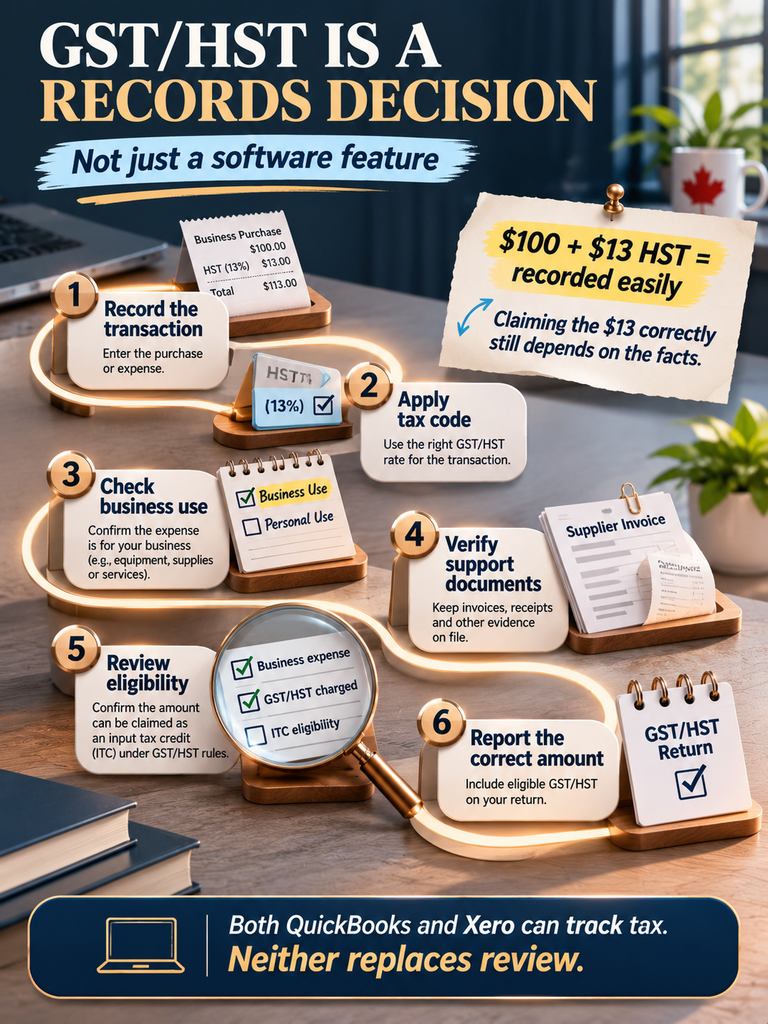
Suppose your Ontario business purchases equipment and pays HST.
The software records the expense and the tax amount.
That doesn’t automatically establish that you can claim the full HST as an input tax credit (ITC).
Eligibility depends on factors such as:
- GST/HST registration
- Commercial use of the purchase
- Appropriate tax treatment
- Supporting supplier documents
- Applicable restrictions
- The reporting method used
For more detail, TaxRecon’s guide to input tax credits in Canada explains why recording HST in accounting software is not enough to support every claim.
GST/HST Example: An Ontario Business Purchase
Imagine an Ontario consulting business buys a qualifying software subscription for $100 plus $13 HST.
The total invoice is $113.
If the business is GST/HST registered, uses the software entirely in eligible commercial activities, and meets the documentation and other requirements, it may qualify to claim the $13 as an ITC.
Both platforms can record the transaction.
But if the software is partly used personally or the company applies a special GST/HST reporting method, the treatment may need adjustment.
The important question isn’t which software can calculate $13 of HST. It’s whether the books and supporting documents justify the amount reported.
Which Software Is Better for Invoicing and Expense Tracking?
Both platforms let Canadian businesses create invoices, record customer payments, and track business expenses.
However, their plan limits and workflow options differ.
QuickBooks Invoicing
QuickBooks provides invoicing, payment tracking, recurring invoices, and customer reporting.
Depending on the plan, businesses may also use additional estimates, project-related invoicing, and customer management features.
This can be useful for contractors or consultants who manage work from quotation through payment.
Xero Invoicing
Xero also supports online invoicing, reminders, invoice tracking, and payment integrations.
The main consideration for small businesses is its Starter plan limit.
If you send more than 20 invoices regularly, Starter may not suit your business.
Xero Standard removes that basic invoicing limitation and offers additional bill-management capabilities.
Managing Supplier Bills and Expenses
QuickBooks Essentials and higher plans include more substantial bill-management features than EasyStart.
Xero Starter allows only a limited number of bills, while Standard and Premium support businesses with higher purchase volumes.
Both platforms also offer document capture and transaction categorization.
The right choice depends on how many invoices and bills your business processes and who is responsible for reviewing them.
Which Has Better Bank Feeds and Reconciliation?
Reliable bank reconciliation matters more than the appearance of a dashboard.
Both platforms can connect to financial institutions, import transactions, suggest matches, and help users reconcile bank activity.
QuickBooks Bank Reconciliation
QuickBooks uses bank feeds, transaction matching, and categorization rules to reduce manual entry.
For example, you may set up a rule to help categorize recurring supplier payments.
However, imported transactions still need review.
A payment might already exist in the accounting system as a recorded bill payment.
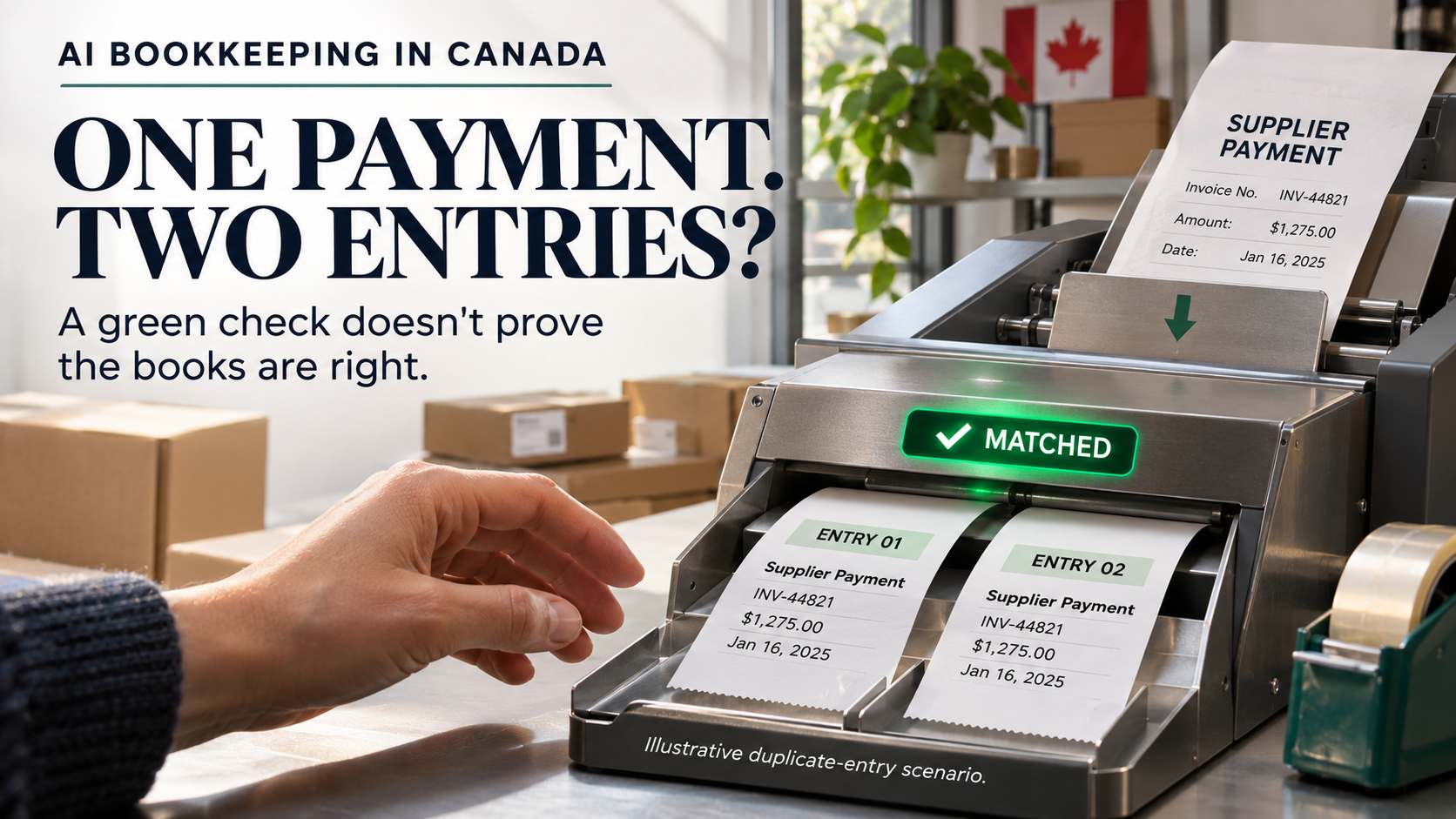
If you add the downloaded bank line as another expense instead of matching it, you can record the cost twice.
Xero Bank Reconciliation
Xero places considerable emphasis on bank reconciliation and transaction matching.
Users can review imported transactions, apply rules, and confirm suggested matches.
Its Canadian bank connections depend on the financial institution and available connection method.
Some banks support direct feeds, while others may require an alternative connection or manual import.
Which Is More Reliable?
Neither platform should be described as universally more reliable for every Canadian bank.
Connection quality depends on the bank, account type, integration method, authentication requirements, and software configuration.
Before choosing either platform, confirm that it supports your actual business bank and credit-card accounts.
Why Reconciliation Still Needs Human Review
Consider a business that receives a $2,500 customer payment.
The accounting system already shows an unpaid $2,500 invoice.
When the payment appears in the bank feed, it should be matched to the appropriate customer transaction.
Recording it as an entirely new sale could overstate revenue.
This is why TaxRecon’s guide to bookkeeping cleanup and reconciliation problems explains that software automation cannot replace checking transactions against their original records.
QuickBooks vs Xero: Reporting, Inventory, and Project Tracking
As a business grows, accounting software needs to provide more than a list of income and expenses.
Owners may want to understand project profitability, outstanding customer balances, inventory costs, or cash flow.
Financial Reporting
Both platforms provide core accounting reports, including:
- Profit and loss statements
- Balance sheets
- Accounts receivable reports
- Accounts payable information
- Cash flow reporting
- Tax-related reports
QuickBooks offers more advanced reporting features on higher subscription tiers.
Xero provides reporting and analytics capabilities across its plans, with more advanced analysis available in Premium.
The usefulness of either platform depends heavily on how the chart of accounts and transaction records are maintained.
Inventory Management
QuickBooks Plus and Advanced include inventory-related features.
Businesses that track products, stock quantities, and cost of goods sold may find these useful.
Xero provides basic inventory tracking and can connect with specialized inventory applications.
Businesses with warehouses, complicated stock movements, manufacturing, or several sales channels may need a dedicated inventory system regardless of which accounting platform they choose.
Project Tracking and Profitability
QuickBooks Plus and Advanced include project profitability tools.
Xero offers project-related capabilities through optional tools and integrations, which may involve additional charges.
If you regularly need to know whether a particular job made money, test the complete workflow before choosing.
A construction contractor’s needs may be very different from those of a freelance consultant who bills a fixed monthly retainer.
Multicurrency Accounting
Businesses working with foreign suppliers or customers should check the relevant subscription tier.
QuickBooks supports multicurrency on qualifying plans, including Essentials and higher.
Xero’s Canadian Premium plan includes multicurrency accounting.
Foreign exchange features may be useful, but they don’t replace the need to apply the correct Canadian tax treatment to international transactions.
QuickBooks vs Xero Total Cost: What Will You Actually Pay?
The advertised monthly subscription is only one part of the total cost.
For businesses with employees or additional software requirements, the price can change significantly.
The Total Cost Formula
A practical comparison uses:
Accounting subscription + Payroll subscription + Employee fees + Required add-ons + Payment processing + Setup or migration costs
Professional bookkeeping or advisory fees should also be considered when relevant.
Example 1: A Solo Consultant Without Employees
Suppose a self-employed consultant needs invoicing, expense tracking, and monthly bank reconciliation.
The owner has limited invoicing needs and doesn’t require payroll.
| Cost | QuickBooks EasyStart | Xero Starter |
| Monthly accounting | $30 | $25 |
| Payroll | $0 | $0 |
| Annual regular subscription | $360 | $300 |
Xero’s regular base subscription is $60 less annually.
However, the consultant needs to confirm that Starter’s invoice and bill limits will not become a problem.
QuickBooks may be the more suitable choice if its particular workflow, features, or accountant access better matches the business.
This is a subscription comparison, not a complete cost-of-ownership estimate.
Example 2: A Small Business With Five Employees
Consider an Ontario service business that has five employees and runs payroll more than once per month.
The business also needs regular invoicing, bill management, and accounting access for a small team.
Compare QuickBooks Essentials with Payroll Core against Xero Standard with Wagepoint Core.
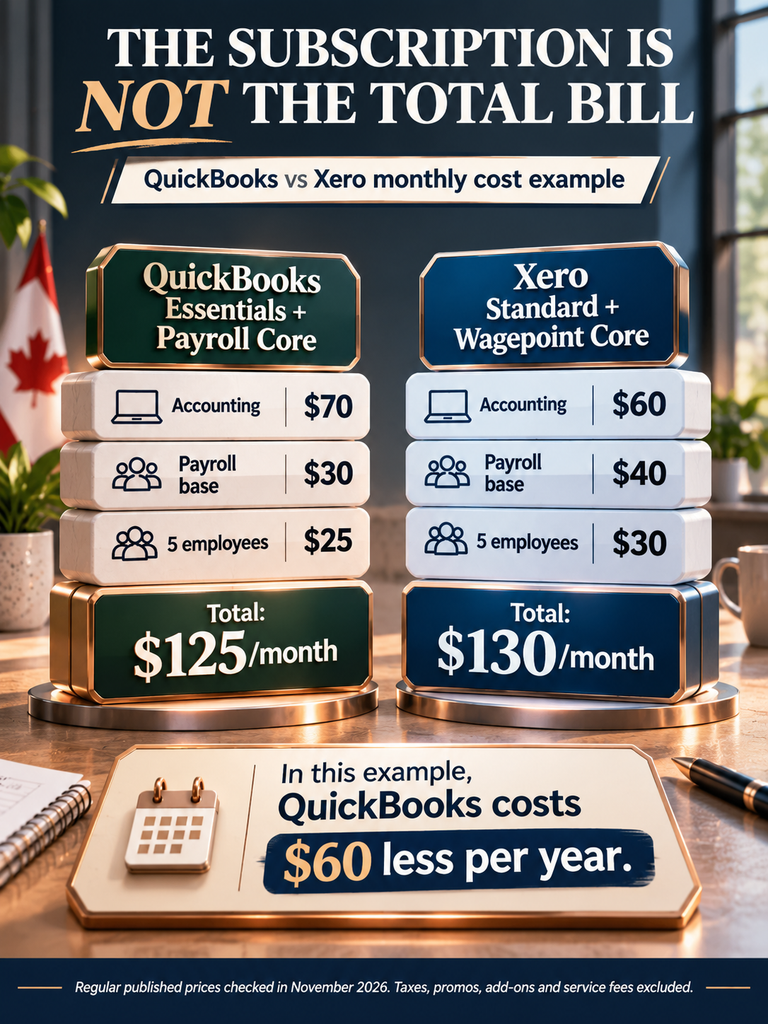
| Monthly cost | QuickBooks Essentials + Payroll Core | Xero Standard + Wagepoint Core |
| Accounting subscription | $70 | $60 |
| Payroll base subscription | $30 | $40 |
| Five employee charges | $25 | $30 |
| Total per month | $125 | $130 |
| Total per year | $1,500 | $1,560 |
Result: Under these assumptions, QuickBooks costs $60 less annually.
Both totals use regular published subscription prices and exclude promotions, sales taxes, extra applications, payment-processing fees, and professional service costs.
The comparison also assumes the selected plans provide all the features required by the business.
If the company needs more accounting users than QuickBooks Essentials allows, or additional inventory and project tools, the result could change.
Example 3: A Growing Business With More Users
Suppose a company wants six employees to have accounting-system access for invoices, reports, or purchasing.
Xero provides unlimited users on its standard Canadian plans.
QuickBooks has user limits based on subscription tier.
The company may need to move to a higher QuickBooks plan or change which staff members require direct accounting access.
In this situation, the price difference depends on user permissions, operational responsibilities, and the exact tools needed.
Do Promotional Discounts Change the Answer?
Yes, especially during the first year.
At the time of this review, QuickBooks publicly advertises introductory discounts of up to 90% for six months on eligible accounting plans.
Xero advertises 80% off its base subscription for the first three months for qualifying new customers.
For example, using those specific offers without optional add-ons:
| Plan | Regular annual cost | Illustrative first-year promotional cost |
| QuickBooks EasyStart | $360 | $198 |
| QuickBooks Essentials | $840 | $462 |
| Xero Starter | $300 | $240 |
| Xero Standard | $720 | $576 |
These figures assume the advertised discount remains available, applies to the customer, and the subscription continues for the full year at the stated regular price after the promotion.
Offers can change, and introductory discounts may not apply to payroll, usage charges, or third-party applications.
Compare both the first-year cost and the ongoing cost after discounts end.
What Hidden or Additional Costs Should Canadian Businesses Check?
Not every additional cost is hidden. Many are published, but easy to overlook when comparing starting prices.
Payment Processing Fees
Both platforms can connect with payment services that allow customers to pay invoices electronically.
Credit-card and other transaction processing fees may apply.
The cost depends on the payment provider and payment method.
Payroll and Employee Fees
QuickBooks Payroll and Xero-connected payroll providers charge separately from accounting subscriptions.
Employee counts and payroll frequency can change the total.
Optional Applications
Specialized inventory, project management, expense claims, document management, or reporting tools may cost extra.
Check whether a feature is included in the selected plan before adding another subscription.
Bookkeeping and Accounting Support
Software doesn’t automatically complete every reconciliation, review expense eligibility, or prepare tax returns.
Businesses may still need a bookkeeper or accountant.
Setup and Migration
Moving historical data, configuring tax settings, importing customers, and reconciling opening balances may require professional work.
That cost is often separate from the monthly subscription.
Multiple Companies
If you operate several separate businesses or corporations, check whether each entity needs its own accounting subscription.
A single subscription doesn’t necessarily cover unlimited companies.
Which Accounting Software Is Best for Your Business Type?
The most suitable platform depends on the work happening inside the business.
| Business type | Features to prioritize | Direction worth considering |
| Freelancer | Invoicing, expenses, basic reports | QuickBooks EasyStart or Xero Starter |
| Consultant with staff | Payroll, billing, project reporting | QuickBooks or Xero with connected payroll |
| Retail business | Inventory, sales integration, payments | QuickBooks Plus or Xero with suitable inventory tools |
| Construction business | Job costing, project profitability, subcontractors | Test both platforms with real project workflows |
| Online seller | Sales-channel integrations, inventory, reconciliation | Compare the complete application ecosystem |
| Professional corporation | Owner compensation, payroll, tax records | Choose based on reporting and accountant workflow |
| Growing team | Multiple user access, permissions, approvals | Compare Xero’s unlimited users with QuickBooks plan limits |
| Multiple-currency business | Foreign currency reporting and transactions | Compare qualifying QuickBooks plans with Xero Premium |
These are starting points, not fixed recommendations.
A business may already have reliable processes in one system. Switching solely because another platform has a lower subscription price may not create meaningful savings.
How Hard Is It to Switch From QuickBooks to Xero or Vice Versa?
Switching accounting platforms is possible, but it should be planned carefully.
The main risk isn’t learning a new interface.
It’s losing the connection between historical transactions, opening balances, unpaid invoices, tax liabilities, and supporting records.
What Usually Needs to Be Transferred?
Depending on the business, migration may involve:
- Chart of accounts
- Customer and supplier records
- Outstanding invoices
- Unpaid bills
- Bank balances
- Accounts receivable and payable
- Inventory balances
- Fixed assets
- Payroll-related balances
- GST/HST liabilities
- Historical financial reports
Not every data type transfers in the same way.
Certain historical transactions, attachments, audit trails, and payroll details may require separate exports or preservation.
A Practical Five-Step Migration Process
Step 1: Decide what needs to move. Identify the data required in the new system and the records that should remain archived.
Step 2: Choose a cutover date. A month-end or year-end can make reconciliation easier, but there is no universal requirement to switch only on January 1.
Step 3: Clean the existing records. Review bank accounts, receivables, payables, and tax balances before transferring unreliable information.
Step 4: Configure the new platform. Set up accounts, sales taxes, users, bank connections, invoices, and integrations.
Step 5: Reconcile the opening position. Compare the new system’s balances with the verified closing records from the previous platform.
Should You Switch Just to Save Money?
Not necessarily.
Suppose your current accounting software works correctly, your accountant knows the system, and your monthly reconciliations are accurate.
A small annual subscription saving may not justify the cost of migration.
But if the current system requires repeated manual work, cannot support important reporting, or no longer suits your team, switching may be worthwhile.
TaxRecon’s cloud accounting services cover QuickBooks and Xero setup, migration, system connections, and accounting workflow improvements.
Common Mistakes When Comparing QuickBooks and Xero
Comparing Introductory Prices Instead of Regular Prices
Do this: Calculate the first-year cost and the normal annual renewal cost.
Not that: Choose a subscription only because of a temporary discount.
Assuming Payroll Is Included in the Accounting Plan
Payroll generally adds another cost.
For Xero, you also need to consider the selected Canadian payroll provider.
Choosing the Cheapest Plan Without Checking Limits
Xero Starter’s invoice and bill limits may become restrictive.
QuickBooks user limits and plan-specific features can also affect the decision.
Believing Automatic Bank Feeds Mean Accurate Books
Imported transactions can still be duplicated, matched incorrectly, or categorized under the wrong accounts.
Reconciliation and review remain necessary.
Assuming GST/HST Tracking Guarantees CRA Compliance
The correct tax result still depends on tax codes, eligibility, reporting periods, and supporting documentation.
Ignoring the Cost of Switching
Data migration, staff training, accounting setup, and reconciliation can add to the total.
A cheaper monthly subscription may not produce an immediate saving.
How to Choose Between QuickBooks and Xero
Before selecting software, work through this checklist.

1. Identify Your Must-Have Features
Write down what the business needs now.
Separate essential features from those that might be useful later.
2. Check Your Canadian Payroll Requirements
Confirm employee count, pay frequency, CPP and EI deductions, remittances, direct deposit, and year-end reporting.
3. Review GST/HST and Provincial Tax Needs
Consider where your business sells, the nature of its supplies, and the required tax reporting.
Businesses operating in multiple provinces may have more complicated requirements.
4. Confirm Bank and Application Connections
Check compatibility with your actual Canadian bank accounts, payment systems, and operational software.
5. Compare Full Annual Costs
Include regular subscription prices, payroll, required add-ons, and professional support.
6. Involve Your Bookkeeper or Accountant
Ask who will review reconciliations, financial statements, tax accounts, and month-end records.
Software should support that work rather than make it harder.
7. Test the Actual Workflow
Before committing, create a sample invoice, enter a supplier bill, review a bank transaction, and inspect the reports.
A platform that looks attractive in a sales demonstration may feel different when handling your actual transactions.
Final Thoughts: QuickBooks or Xero for Canadian Businesses?
QuickBooks and Xero are both capable accounting platforms. The better choice depends on what you need the software to do after you sign up.
QuickBooks is worth considering when you want Canadian payroll within the QuickBooks product family, built-in project or inventory tools on qualifying plans, and a familiar accounting workflow.
Xero can be a strong option when unlimited users, flexible integrations, and a separate connected payroll provider suit the way your business operates.
Both can support GST/HST accounting, but neither replaces accurate bookkeeping, appropriate tax decisions, or supporting documents.
When comparing QuickBooks vs Xero in Canada, look beyond the starting price. Consider the regular subscription, payroll costs, transaction volume, user access, additional applications, and the work required to keep your records reliable.
The best accounting software isn’t necessarily the cheapest or the one with the most features.
It’s the one that fits your business, works with your accounting process, and helps you trust the financial information behind your decisions.
Need Help Choosing or Setting Up Your Accounting Software?
Choosing a platform is only the beginning. The real value comes from how your transactions, payroll, GST/HST, and financial reports work together after setup.
TaxRecon helps Canadian business owners review their accounting workflows, improve existing QuickBooks or Xero files, and plan more reliable cloud accounting processes.
Contact TaxRecon to discuss your current accounting setup and find out what may need to change.

Frequently Asked Questions
1. Is QuickBooks or Xero Better for Canadian Small Businesses?
Both are suitable for Canadian small businesses. QuickBooks may fit businesses wanting accounting and Canadian payroll within the same product family. Xero may suit teams that need unlimited users or prefer a connected payroll provider. The better choice depends on your invoicing, reporting, payroll, and bookkeeping requirements.
2. Is Xero Cheaper Than QuickBooks in Canada?
Xero has lower regular starting subscription prices. Xero Starter costs $25 monthly, compared with QuickBooks EasyStart at $30. However, feature limits, payroll services, user access, and optional tools can change the overall comparison. Calculate the total cost using the plans and add-ons your business actually needs.
3. Does Xero Handle Canadian Payroll?
Xero supports Canadian payroll through connected third-party providers rather than its own native Canadian payroll product. Wagepoint is one available integration. The connected payroll system can handle applicable employee pay calculations, deductions, remittances, and year-end records, depending on the provider and selected plan.
4. Does QuickBooks Payroll Cost Extra in Canada?
Yes. QuickBooks Payroll is a paid add-on to qualifying accounting plans. Its Core plan has a regular published base price of $30 monthly plus $5 per employee. Higher payroll plans cost more and offer additional features. Promotional discounts may apply, but regular costs should be used for long-term budgeting.
5. Can QuickBooks and Xero Both Track GST/HST?
Yes. Both platforms support Canadian GST/HST tracking, tax-coded transactions, and related reporting. However, accurate GST/HST filing still depends on correct tax settings, properly categorized purchases and sales, eligible input tax credits, and supporting documents. Accounting software does not automatically determine every tax obligation.
6. Does Xero Allow Unlimited Users in Canada?
Yes. Xero’s Canadian business plans include unlimited accounting users. This can be useful when several staff members need access for invoicing, purchasing, reporting, or bookkeeping. Appropriate permissions should still be assigned. QuickBooks Online uses plan-specific user limits, with additional access for an accounting professional on qualifying plans.
7. Which Is Better for Canadian Contractors: QuickBooks or Xero?
Both can work for Canadian contractors, but the ideal setup depends on job costing, subcontractor payments, payroll, invoicing, and project reporting. QuickBooks Plus includes project profitability features, while Xero offers project tools and integrations. Contractors should test how each system records costs against individual jobs before deciding.
8. Can I Switch From QuickBooks to Xero Without Losing My Records?
You can migrate between the platforms, but not every type of historical data transfers automatically. Customers, suppliers, balances, invoices, and other accounting records may require different migration steps. Preserve historical reports and supporting documents, then reconcile opening balances in the new system before relying on its financial statements.
9. Which Platform Is Better for GST/HST Filing in Ontario?
Neither platform is automatically more accurate for Ontario HST. Both can support the recording and reporting of sales tax when properly configured. The best choice depends on the business’s transactions, reporting method, recordkeeping practices, and accountant’s workflow. Review GST/HST account balances against supporting transactions before filing.
10. Can TaxRecon Help Me Choose Between QuickBooks and Xero?
Yes. TaxRecon’s cloud accounting services cover QuickBooks Online and Xero setup, configuration, migration, integrations, and workflow improvements. The appropriate platform depends on the business’s transaction volume, staff access, existing systems, reporting needs, and accounting processes. A review can help identify which setup better supports those requirements.